How to Write an SEO Content Brief (With a Free Template)
Have you ever opened a blank page, written three paragraphs, and then realized you didn't know who the post was for?
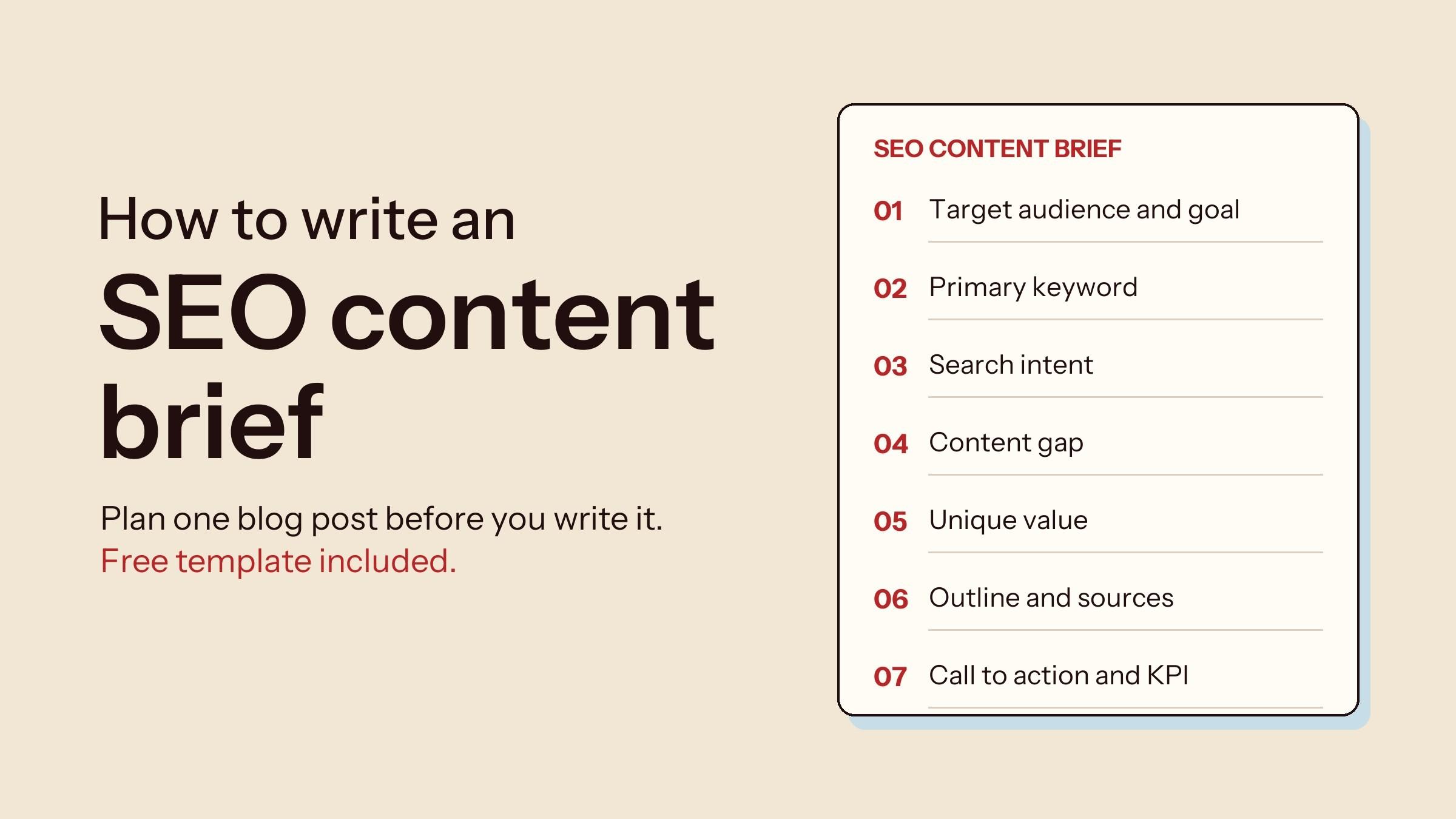
An SEO content brief fixes that before you start. It plans a single blog post: who it's for, what it should do, which Google search it should answer, and what makes it different from everything that already shows up. I write one before every post on this blog.
This guide is for people who write their own posts: marketers starting out, freelancers, small business owners, and anyone building a personal brand. Most guides on this topic are written for agency teams handing a brief to a writer. There's a free template to download near the end.
What is an SEO content brief?
The "SEO" part, short for search engine optimization, means the plan starts with how your audience looks for the topic on Google.
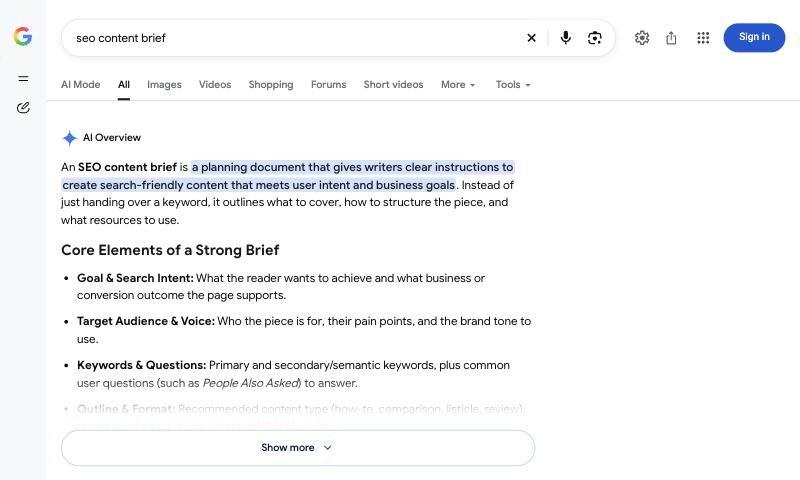
It isn't the same as a creative brief, which plans a campaign or design project like an ad or a rebrand. The two get mixed up, even in Google's results.
What's changed in SEO, and what hasn't
The biggest change you'll notice is the AI summary at the top of many Google searches, called an AI Overview.
The basics haven't changed, according to Google itself. Its guide to AI features says there are "no additional requirements" to appear in AI Overviews, and that the same core SEO practices apply. Its guide to helpful content asks whether your content shows "first-hand expertise," like having actually used the product or done the work. The same guide answers a common myth directly: Google doesn't have a preferred word count.
For your brief, that means two things. Plan the basics the same way, and plan what only you can add, because that's what a summary can't copy.
How to write an SEO content brief in 7 steps
1. Define your target audience and goal
Write one sentence about who you're writing for (your target audience) and one about what they should know or be able to do when they finish (your content goal). Every other choice gets checked against these two lines.
2. Choose your primary keyword and check search intent
Your primary keyword is the main phrase your audience types into Google. Find it, plus two or three secondary keywords: related phrases the post should also cover. I use Ahrefs, but the free Ahrefs Keyword Generator, Google's autocomplete, and the "People also ask" box all work. Note each phrase's monthly search volume and keyword difficulty if your tool shows them. Also check that none of your other posts already target the same keyword, so they don't compete with each other.
Then search the keyword yourself and look at what kind of page shows up most: a how-to, a list, a review. That's the search intent: what people want when they search. Semrush lists focusing on a keyword without checking this as a common challenge when writing briefs.
3. Analyze the top three results and find the content gap
Open the top three results that aren't ads. Note their headings, roughly how long they are, and what they skip. If Google shows an AI Overview, note what it covers and what it leaves out. What they all miss is your content gap, and it's where your post earns its place.
4. Decide your editorial angle and unique value
Your editorial angle is the one idea your post adds, in one sentence. Your unique value is what only you can add: a story, a photo, a result, or an example from your own work.
For length, use the top-ranking pages as a guide, not a rule. RankUp's beginner guide even recommends leaving fixed word counts out of a brief. Cover the topic fully and cut what doesn't help the reader.
5. Outline from the questions people ask
Turn the questions from step 2 into your headings. Big questions become H2 sections, follow-up questions become H3 subsections, and anything left over can go in a short FAQ at the end. Give each section a rough word count so the length stays on track.
Then write your SEO title and meta description, the short summary that shows under your title on Google. Put the primary keyword near the start of both.
6. Check your sources before you write
List every source, photo, and link you plan to use, then open each one and make sure it still says what you need. While planning my Owala vs. Stanley post, I found that a quote I wanted to use was no longer on Owala's own site, so it came out before it ever reached a draft.
7. Choose your call to action and KPI
Decide what you want the reader to do after reading: your call to action (CTA). Then pick one KPI, short for key performance indicator: a number tied to your goal, like your Google ranking or clicks to another page. Review it monthly. Google's SEO Starter Guide says some changes show up in a few hours and others take several months.
Example: my Owala vs. Stanley brief
Here's the brief behind my Owala vs. Stanley post, with search numbers from Ahrefs.
| Field | What I wrote |
|---|---|
| Target audience | People starting out in marketing who want to see how two brands grow after one hit product |
| Primary keyword | owala vs stanley (1,800 searches a month, easy to rank for) |
| Secondary keywords | owala color drop (4,600), why is owala so popular (250), stanley marketing strategy |
| Search intent | Commercial: shoppers comparing the bottles, so every top result was a product test |
| Content gap | No one compared the two brands' marketing |
| Unique value | My own side-by-side read of their products, ads, and blogs |
| Sources | Retail Dive, Fast Company, The Drum, Owala's Color Drop FAQ, ASI |
| Call to action | Notice where each brand's ads and links send you |
Free SEO content brief template
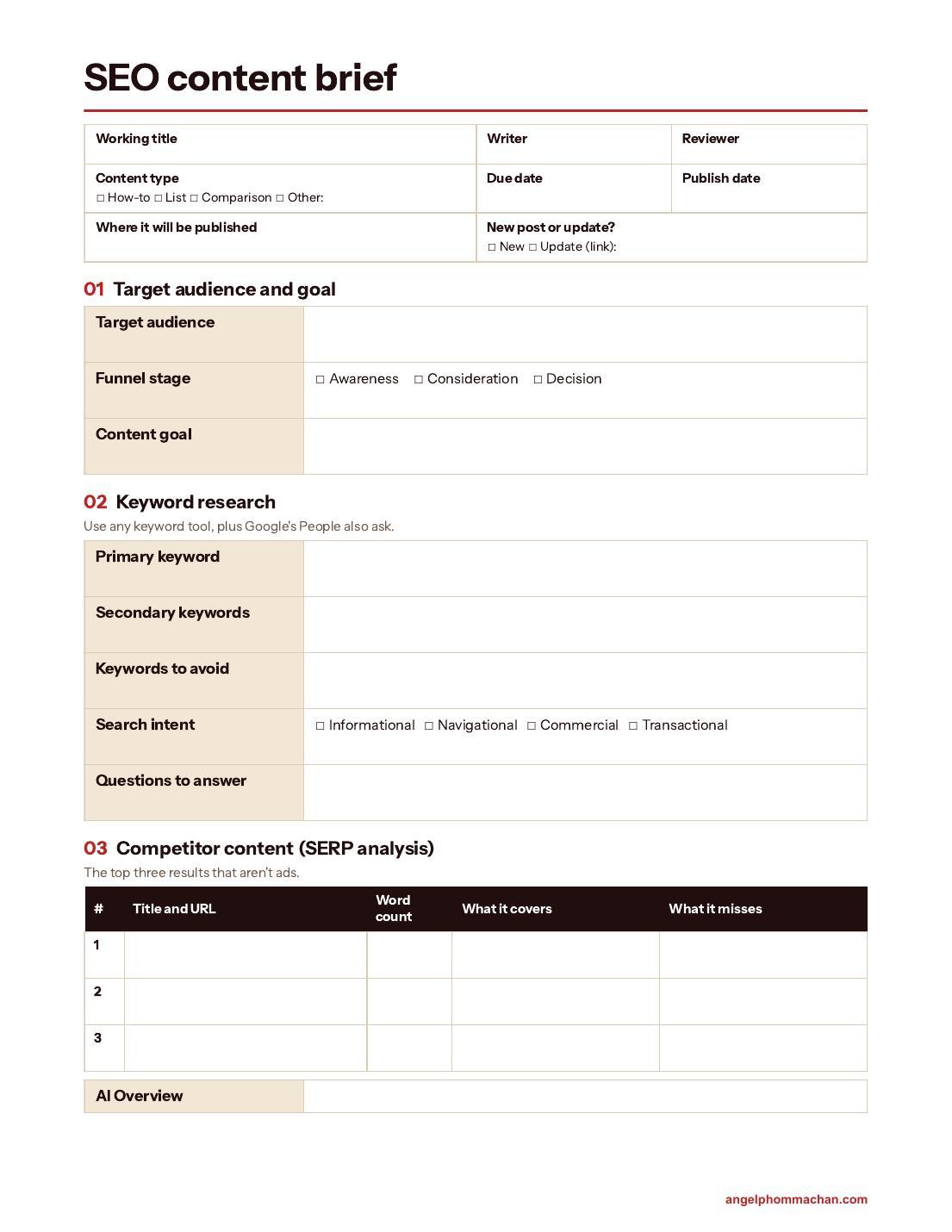
The template follows the same seven steps on three pages. It also has space for content type, funnel stage, keywords to avoid, and brand voice notes for a writer.
Try it on your next post
Search changes every year, but the fundamentals in this brief haven't: know your audience, answer what they're searching for, add something only you can, and check your facts. Download the template, fill it in before your next post, and notice how much faster the first draft comes when the decisions are already made.
FAQ
What is an SEO content brief?
An SEO content brief is a plan for a single blog post. It names the target audience, the content goal, the primary keyword and search intent, what already ranks on Google, your angle, your outline, your sources, and the call to action.
What's the difference between a content brief and a creative brief?
A content brief plans one piece of content, like a blog post, usually with search in mind. A creative brief plans a campaign or design project, like an ad or a rebrand, and focuses on the message and the look.
Do SEO content briefs still matter with AI search?
Yes. Google says there are no extra requirements to show up in its AI Overviews and that the same basic SEO practices apply. A brief keeps those basics in place, and it's a good place to plan what only you can add.

Written by Angel Phommachan, digital marketing specialist